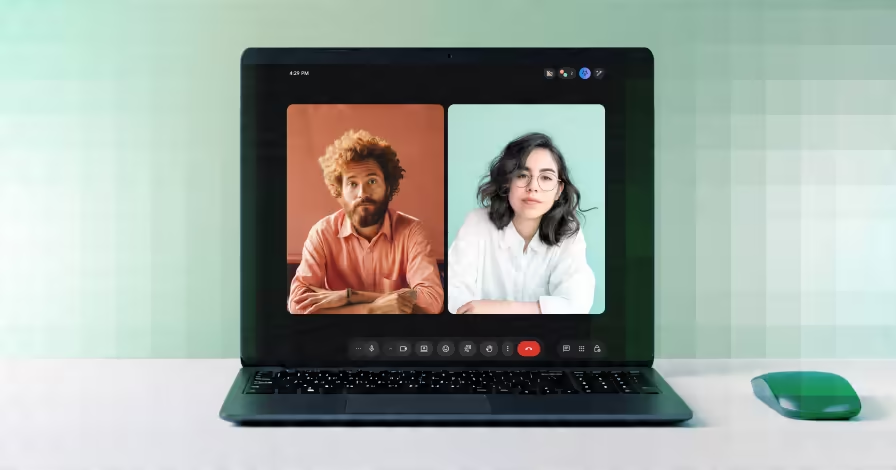

You are now dealing with a meeting environment where what you see and hear is no longer a reliable proof of who is on the other side. In Google Meet calls, synthetic audio, video, and images are becoming realistic enough to pass casual human judgment.
For product teams, security analysts, and CX leaders like you, this creates a direct operational risk.
A 2026 Gartner survey found that 41% of CISOs had experienced at least one social-engineering incident involving a deepfake during an employee audio call in the previous 12 months, while 36% reported one during a video call. Decisions, approvals, and sensitive information often rely on trust built within seconds of a live call, which makes real-time identity assurance increasingly important.
To address this, you need a structured way to assess authenticity while the call is happening, not after the damage is done. The solution is a layered approach that combines behavioral checks, real-time verification steps, and AI-based detection signals that work alongside human judgment. Instead of relying on a single point of trust, you can build a system where each signal reinforces the other, helping you identify inconsistencies early and respond with confidence during Google Meet interactions.
This guide explores practical ways to identify synthetic manipulation during Google Meet calls, how real-time detection techniques work, and what layered safeguards can help reduce operational risk in sensitive meetings.
Key Takeaways:
- Deepfakes in Google Meet calls can be difficult to detect due to real-time video compression, natural communication flow, and reduced visual clarity that hides subtle manipulation signs.
- Detection relies on spotting combined visual, audio, and behavioral inconsistencies such as mismatched lip-sync, irregular eye movement, unstable facial textures, and unnatural response patterns.
- Real-time protection involves layered methods including passive AI monitoring, active verification checks, multi-factor identity validation, and continuous session-level monitoring throughout the call.
- Strong prevention depends on structured meeting practices like pre-call identity verification, unpredictable challenge questions, limited trust in appearance alone, and team awareness of impersonation risks.
What Makes Google Meet Video Deepfakes Harder to Detect
Detecting deepfakes in Google Meet is difficult because the platform operates in real time, where decisions are based on continuous interaction rather than static content. This reduces the ability to analyze inconsistencies carefully.
Detection becomes harder because:
- Real-time generation: Deepfakes in live calls are created continuously, which removes editing artifacts and makes the interaction feel like a normal video stream.
- Low-quality video conditions: Compressed streams and standard webcams reduce visual clarity, which can hide subtle facial inconsistencies.
- Limited attention focus: Participants focus on conversation flow rather than visual inspection, making small anomalies easy to miss.
- Built-in trust bias: Familiar faces or expected identities reduce suspicion, even when subtle inconsistencies appear.
- Audio-visual sync optimization: Modern systems align lip movement and speech timing closely, reducing obvious mismatches during conversation.
- Network and lighting noise: Natural glitches like lag, blur, or lighting shifts can mask or mimic synthetic artifacts.
- Short verification window: Fast-paced discussions leave little time for deeper identity checks or behavioral validation.
As a result, detection requires a shift from passive observation to structured verification and layered validation.
Key Signs of Deepfakes During Live Google Meet Calls
Detecting deepfakes during live calls relies on observing small inconsistencies across visual, audio, and behavioral signals. No single indicator is definitive, but multiple signals together may suggest manipulation.
In practice, these signs appear as deviations from natural human communication patterns during real-time interaction.
- Facial movement inconsistencies: Subtle mismatches may appear in how the face moves during speech, especially around the mouth and cheeks. You may notice slight distortion, stiffness, or unnatural transitions when expressions change quickly during conversation.
- Lip sync delays between speech and visuals: Spoken words may not always align perfectly with lip movement. Even small timing gaps can become noticeable during faster dialogue or longer, continuous responses.
- Unstable lighting or facial texture shifts: The face may show brief changes in lighting consistency or sharpness, even when the environment remains unchanged. This can include momentary blurring or uneven skin texture across frames.
- Irregular eye behavior and gaze patterns: Natural eye movement may appear reduced or inconsistent, such as limited blinking, fixed gaze during responses, or delayed eye shifts when reacting to questions or prompts.
- Audio tone detached from facial expression: The voice may sound clear, but not fully aligned with visible facial emotion. This mismatch can become more apparent during emphasis, surprise, or emotionally charged statements.
- Behavioral hesitation in unexpected moments: Responses may slow down or feel overly structured when faced with unscripted or identity-specific questions. Brief pauses or generic answers during context-heavy discussions can justify a secondary identity check.
- Subtle identity consistency gaps: Minor inconsistencies may appear when comparing current behavior with known communication style or expected personality traits, especially in impersonation scenarios.
- Reduced natural interaction flow: Conversation may feel slightly rigid, with limited spontaneity or difficulty adapting smoothly to sudden topic shifts during the call.
The goal is not to assume every anomaly is malicious, but to identify patterns that may warrant further verification before proceeding with sensitive decisions.
Real-Time Deepfake Detection Techniques Used in Google Meet Calls
Real-time detection during meetings depends on combining behavioral analysis, verification workflows, and system-level monitoring. Instead of relying on a single detection method, organizations often use multiple lightweight checks during conversations.
These techniques aim to identify anomalies without interrupting the flow of communication.
1. Passive AI-based monitoring
Modern detection systems analyze live audio and video streams to identify patterns that may indicate synthetic generation. These systems typically evaluate:
- Voice frequency signatures
- Facial geometry stability
- Frame-level inconsistencies
- Audio-visual synchronization
Low-latency analysis can surface suspicious signals while the meeting is still active, giving security teams time to verify the participant before a sensitive action is approved.
2. Active verification methods
Active techniques introduce controlled challenges during a meeting to test whether the participant can respond naturally.
Examples include:
- Asking spontaneous identity-based questions
- Requesting real-time physical gestures (turn head, cover face briefly)
- Introducing unpredictable conversational shifts
Research has shown that deepfake systems often struggle with unexpected occlusions or rapid environmental changes, especially when multiple visual elements overlap in real time.
3. Multi-factor identity validation
Instead of relying only on appearance or voice, secure systems combine multiple verification signals:
- Device authentication (trusted device recognition)
- Behavioral biometrics (speech rhythm, interaction style)
- Out-of-band verification (secondary channel confirmation)
This approach reduces dependency on any single signal, which is important because no single detection method is fully reliable in isolation.
4. Continuous session monitoring
Rather than checking identity once at the start of a meeting, advanced systems monitor participants throughout the call. This helps detect:
- Identity switching mid-session
- Gradual degradation in synthetic quality under longer exposure
- Suspicious changes in voice or facial consistency
Continuous monitoring is increasingly important because real-time deepfakes can adapt during extended conversations.
In practice, these techniques are most effective when combined rather than used independently. This reduces reliance on any single detection method and improves confidence in identity verification during meetings.
For real-time meeting safety workflows, Resemble Detect on Google Meet can add AI-assisted verification during live calls.
Best Practices to Stay Protected in Google Meet Calls
Protection against deepfakes in Google Meet calls depends heavily on how meetings are structured and verified before and during interaction. Since real-time detection is inherently uncertain, organizations benefit from establishing consistent practices that reduce reliance on visual trust alone.
1. Verify identity before discussing sensitive actions
Sensitive decisions such as financial approvals or access requests should never rely solely on visual confirmation.
Recommended approach:
- Confirm identity through a secondary channel (email, phone call, internal messaging system)
- Use pre-established verification phrases or protocols
- Avoid making high-impact decisions within the first few minutes of a call
2. Introduce unpredictable verification prompts
Instead of static questions, use dynamic prompts that require real-time human reasoning.
Examples include:
- Asking context-specific questions that only the real participant would know
- Requesting spontaneous clarification on prior internal discussions
- Changing the topic direction unexpectedly to observe response consistency
3. Limit trust based on appearance alone
Visual familiarity can create false confidence. Deepfakes can closely replicate known individuals, especially in low-complexity lighting conditions.
A safer approach is to:
- Combine voice, behavior, and contextual validation
- Avoid assuming identity based on appearance alone
- Treat high-risk meetings as verification-required interactions
4. Standardize meeting security protocols
Organizations benefit from having clear internal rules, such as:
- Mandatory verification steps for financial or HR decisions
- Restricted approval workflows during live calls
- Defined escalation paths for suspicious interactions
This reduces reliance on individual judgment under pressure.
5. Train teams on emerging impersonation patterns
Awareness training should focus on:
- Recognizing subtle inconsistencies in live communication
- Understanding that deepfakes may not look “fake”
- Practicing verification workflows regularly
The goal is not to detect every case manually, but to reduce decision-making risk under uncertainty.
How Resemble AI Enhances Deepfake Detection in Google Meet Calls
Resemble AI's deepfake detection is powered by DETECT-World, a multimodal model for audio, image, and video. It combines detection of known generation patterns with physical-consistency checks such as lighting and motion, helping it identify manipulation from both familiar and previously unseen generators.
Here’s how we can help you:
- Multimodal detection: Resemble AI analyzes audio, video, and images in a single system to detect mismatches between what is seen and heard during a call.
- Real-time processing: Resemble Detect supports real-time streaming for live meeting analysis, allowing suspicious audio or video to be evaluated while the call is in progress.
- Model coverage: DETECT-World has been benchmarked across 250+ generative AI models, providing coverage across a wide range of current audio, image, and video generation systems.
- Cross-modal checks: It compares speech and facial behavior to spot inconsistencies like lip-sync issues or unnatural motion patterns.
- Explainable signals: Instead of only a score, it highlights reasons such as audio anomalies or visual irregularities for clearer decision support.
- Liveness detection: It helps assess whether responses reflect real-time human behavior rather than synthetic or replayed content.
- Workflow integration: Detection outputs can be used within existing enterprise security and identity systems alongside Google Meet workflows.
- Adaptive detection: Models are regularly updated to keep up with new deepfake generation techniques across audio, video, and images.
By combining multimodal detection with identity and behavioral checks, Resemble Detect can add another verification layer to Google Meet workflows where participant authenticity matters.
Conclusion
Deepfakes in Google Meet calls are no longer a theoretical concern but an active operational risk in real-time communication environments. As synthetic media becomes more sophisticated, traditional visual or auditory judgment alone may not be sufficient for reliable identity verification.
Effective protection depends on combining behavioral awareness, technical validation methods, and AI-driven analysis into a layered security approach. Each layer contributes a different form of assurance, reducing the risk of relying on any single signal.
Organizations that adopt layered verification strategies are better positioned to handle the evolving nature of synthetic media risks. The organizations best protected won't be the ones with the most detection tools; they'll be the ones that made verification a habit before they needed it.
Exploring platforms like Resemble AI can help teams understand how multimodal detection fits into existing communication and security workflows.
FAQs
Do irregular blinking patterns reveal deepfakes in video calls?
Irregular or unnatural blinking can be a weak signal of synthetic video, especially when eyelid motion is inconsistent with speech or head movement. However, modern deepfakes can replicate blinking well, so they should be used only as a supporting indicator.
Should biometric liveness detection be used to prevent deepfake impersonation on calls?
Yes, biometric liveness detection adds a strong verification layer by confirming that a real, present human is interacting in real time. It helps reduce spoofing risks by analyzing facial movement, micro-expressions, and physiological signals during video calls.
How does blockchain verification help confirm media authenticity in video conferencing?
Blockchain can timestamp and store cryptographic hashes of original media, creating an immutable record. During verification, the live feed can be compared against trusted records to detect tampering or synthetic modifications, improving accountability and authenticity tracking.
What is AI watermarking, and how can it help detect deepfakes on Google Meet?
AI watermarking embeds invisible signals into authentic audio or video during creation. Detection tools later scan for these markers to confirm legitimacy. If missing or altered, it may indicate manipulation, helping identify deepfakes in video conferencing environments.
How quickly can deepfake detection tools analyze audio or video on Google Meet?
Modern systems can analyze streams in near real time, often within milliseconds to a few seconds per frame or audio segment. Speed depends on model complexity, device power, and whether processing happens on-device, cloud-based, or at the edge.
What should a meeting host do if a deepfake is detected during Google Meet?
The host should immediately pause the interaction, verify identity through alternate channels, and restrict sensitive discussion. Logging the incident, alerting security teams, and preventing further access helps reduce potential fraud or misinformation risks during the meeting.
Are there official Google policies or features for deepfake detection in Google Meet?
Google Meet itself does not have a dedicated, native deepfake detection feature built into live calls. Google has shipped adjacent tools — SynthID-based AI media verification in the Gemini app (for checking whether an image or video was AI-generated) and, separately, fake call detection for Android phone calls — but neither is a real-time detection layer inside Meet. Organizations typically rely on third-party AI tools and internal verification protocols for synthetic media detection during Meet calls.
How can edge computing improve real-time deepfake detection in video calls?
Edge computing processes data closer to the user device, reducing latency and bandwidth use. This enables faster detection of manipulated media during calls while keeping sensitive data local, improving both real-time responsiveness and privacy protection.
What interrogation or challenge questions can help verify someone’s identity on Google Meet?
Asking real-time, context-specific questions like recent shared experiences, location-based confirmations, or task-specific details helps validate identity. Deepfakes often struggle with spontaneous, personalized prompts that require real-world memory or situational awareness.
How do deepfake detection tools measure the probability that the media is altered?
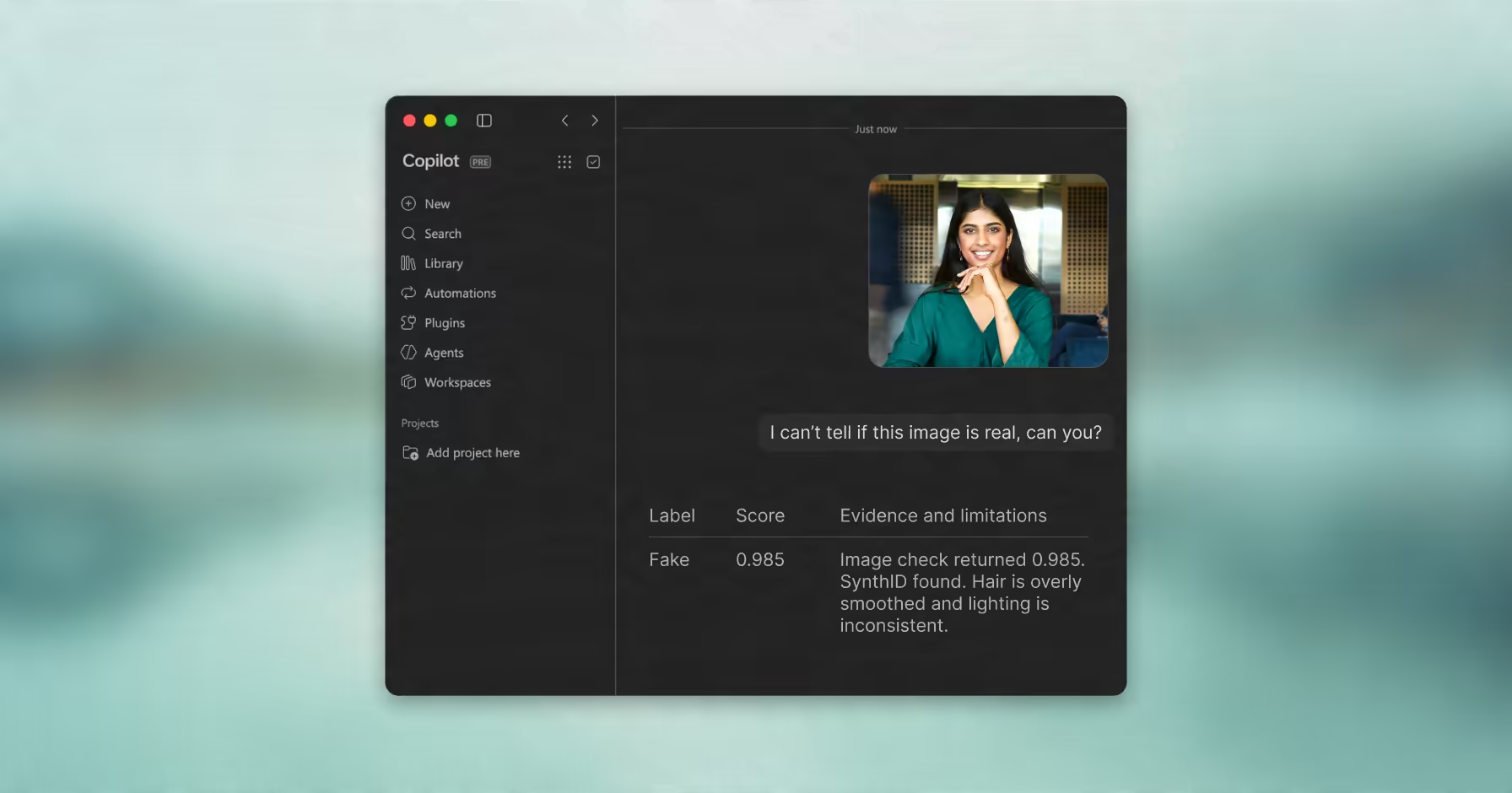
Detection systems use machine learning models to assign confidence scores based on facial inconsistencies, audio mismatches, and temporal artifacts. These probabilities indicate the likelihood of manipulation rather than absolute certainty, supporting human-in-the-loop verification decisions.
What incident response steps should one follow after a suspected deepfake on Google Meet?
Immediately isolate the session, preserve logs, and avoid sharing sensitive data. Conduct identity verification, notify security teams, and escalate if fraud is suspected. Post-incident analysis helps refine detection rules and strengthen future meeting security protocols.
How can video conferencing policies reduce deepfake fraud risk on Google Meet?
Strong policies include identity verification requirements, restricted access controls, mandatory authentication layers, and user awareness training. Regular audits and clear escalation procedures also help organizations reduce exposure to deepfake-based impersonation and social engineering attacks.