RESEMBLE agent detection

The first System One model for AI agent detection

Agent Detection watches how visitors behave and tells you whether you're dealing with a person or an AI agent, so you can decide what happens next.

Add one line of code and see your exposure in minutes, free for your first 10,000 visitors.
a new kind of visitor

People are sending AI agents to do their work, for good and for bad.

Agents like Claude in Chrome, ChatGPT, and Codex can now navigate websites and carry out tasks on a user’s behalf. And because they don’t always identify themselves as agents, Agent Detection looks at how they behave instead.
642K
US daily users of Meta's Muse agent 12 days after launch, nearly 3x ChatGPT at the same point.
Apptopia estimates, via TechCrunch
7,851%
Growth in AI agent and agentic browser traffic in 2025
HOW it WORKS

From one snippet to an answer on every session.

1. Sign up for a free Resemble AI account
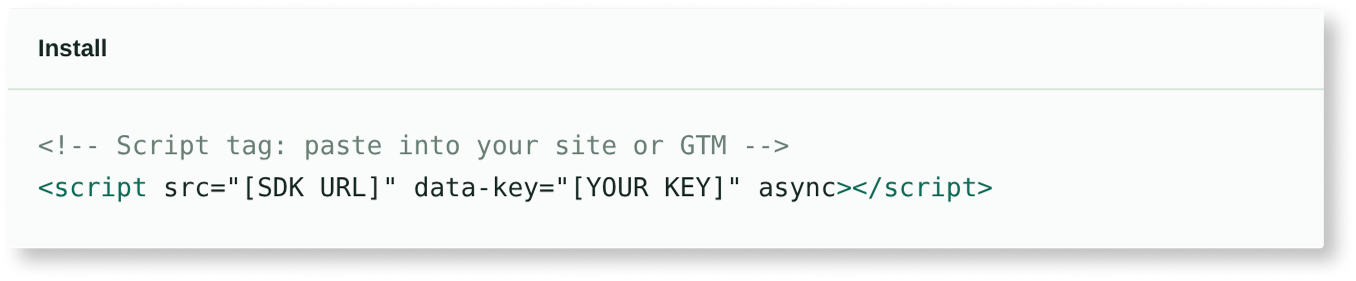
Paste a script tag into your site or Google Tag Manager, like analytics.
2. A visitor starts browsing your site
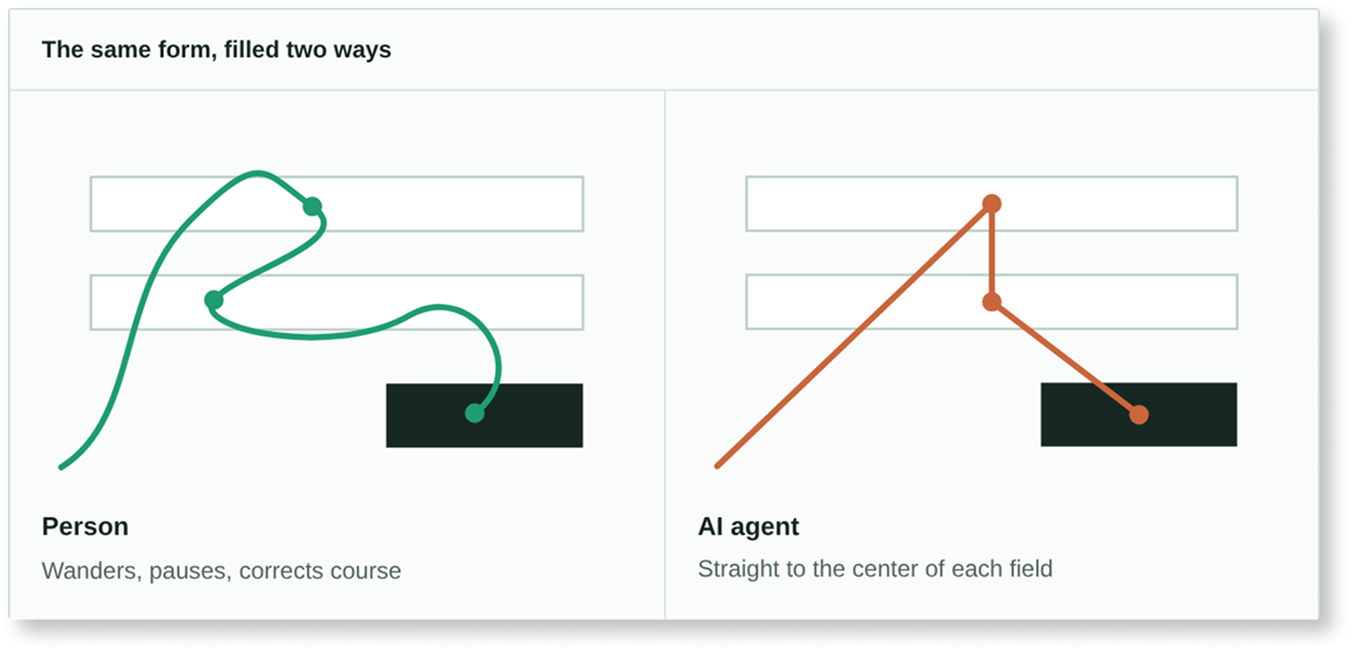
Agent Detection reads cursor movement, typing rhythm, and actions. It doesn't rely on the user-agent string, which agents can fake.
3. Every session gets a verdict
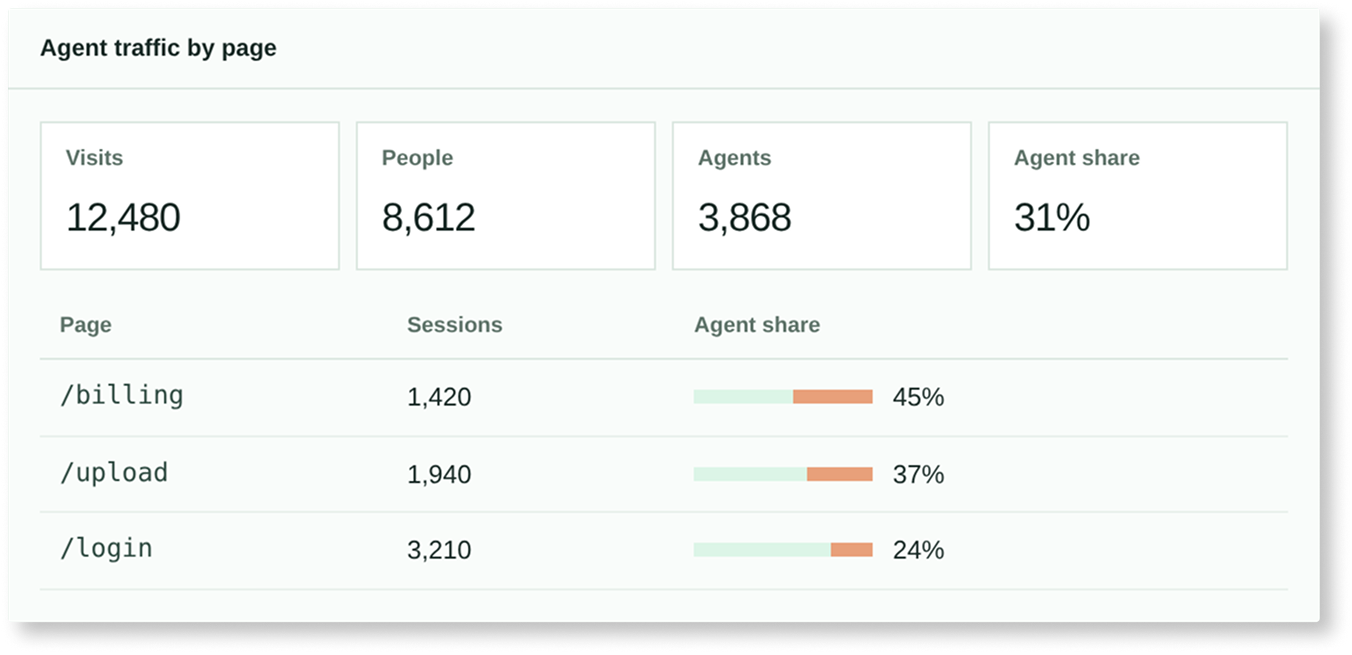
Each session is labeled human or AI agent. Your dashboard shows how much traffic is agents and which pages they reach.
4. Decide what each agent is allowed to do
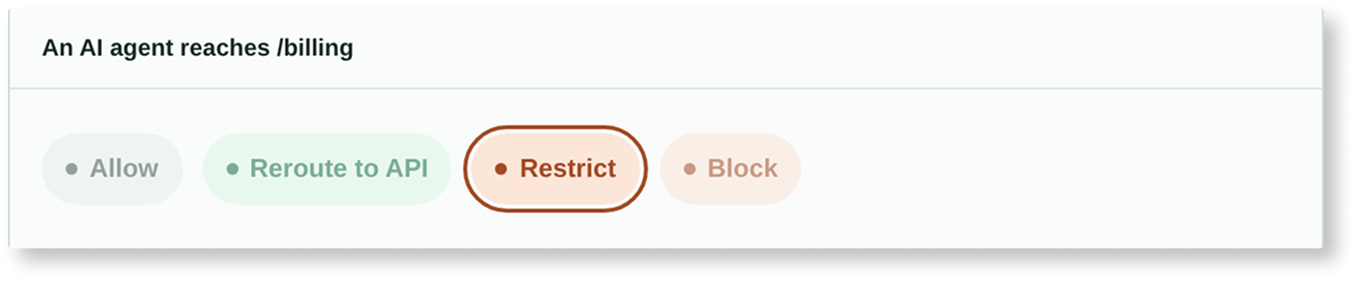
Skip the allow-or-ban rule and choose what happens on each page.
agent dection vs bot detection

Is this just another bot detector? No.

Bot detection finds scripts and blocks them. Agents look human to rule-based tools, switch user agents freely, and are sometimes doing real work for your customers.
Feature Legacy bot detection Resemble Agent Detection
What it reads User agent, IP address, device metadata
The verdict Bot or not
What you can do Block
Explainability A score with no reasoning
Setup Platform adoption or an enterprise sale
Cost Often thousands per month, sold through enterprise contracts
after DETECTION

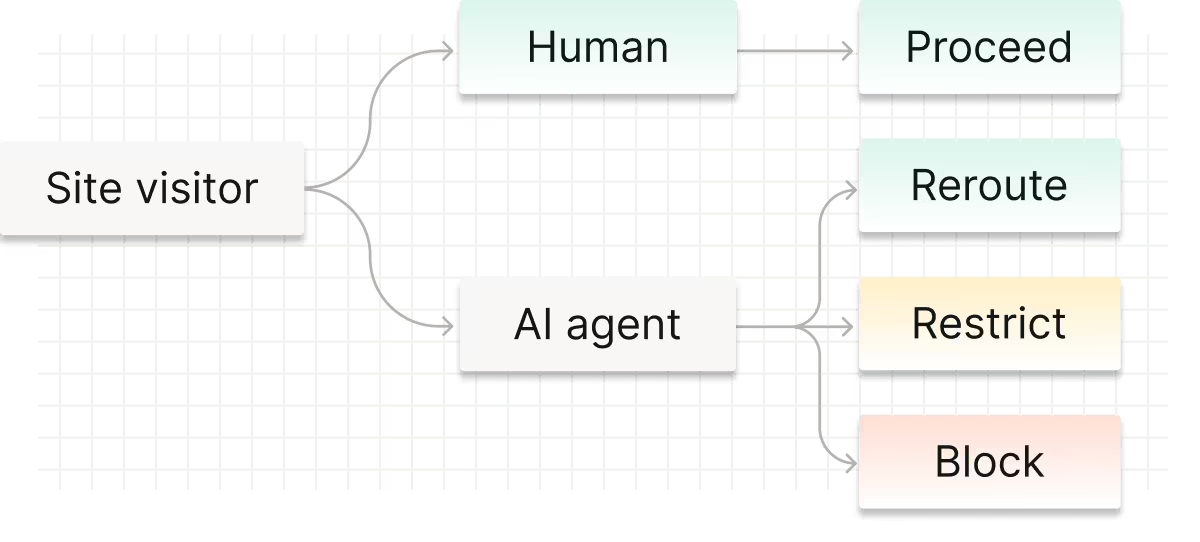
Know which agents are on your site, then choose what's next.

Reroute
Send agents to your API or MCP server, where the work is faster and costs you less.
Restrict
Keep agents out of billing, spending, and team settings, like scoping a new hire's permissions.
Block
Stop agents that try to delete accounts, change credentials, or make unapproved purchases.
Where it matters

Map agent activity to where stakes are higher.

Financial workflows
Applications, uploads, and transactions in insurance, banking, mortgage, and telecom.
Protected accounts
Customer data and account actions behind a login.
Identity journeys
Onboarding, verification, and support, where you need to know who's on the other side.
INTEGRATIONS AND PRICING

Add Agent Detection in one line of code.

Sign up for a free Resemble AI account and API key. Your first 10,000 visitors are free, after that you pay $1 per 1,000 sessions.

SCRIPT TAG

Paste it into your site or Google Tag Manager.

<!-- Script tag: paste into your site or GTM -->
<script src="
[SDK URL]" data-key="[YOUR KEY]" async></script>

SDK - COMING SOON

For apps that act on verdicts, like rerouting or restricting agents.

Frequently asked questions
Does it work outside websites, like in-product or in mobile apps?
It works on websites and inside your product today. Mobile app support is coming soon.
What data does the snippet collect?
Only how the page is used, never what's typed or shown on it. We don't capture page content, typed text, or passwords.

The snippet records interactions like pointer movement, clicks, scrolling, touches, and keystroke timing. Keys are logged by type (letter, digit, backspace), never the key itself, and form fields record only their ID and length, never the value. It also collects browser and device details (user agent, language, time zone, screen and window size, graphics renderer, and automation flags) along with the page path, title, and referrer. IP addresses are hashed before they're stored, and the raw IP is never saved.
Will the snippet slow down my site?
No. The script is about 9 KB compressed, loads asynchronously and has no dependencies, so it never blocks your page from rendering. It sends small batches in the background about every second, and it stops completely once it reaches a verdict. All the analysis happens on our servers, not in your visitor's browser.
How accurate is it, and what happens with false positives?
gent Detection only gives a verdict once it has seen enough interaction, so very short visits get no verdict at all. Borderline visits come back as “review,” which most sites treat as human. It never blocks anyone on its own, so we recommend labeling traffic by default and only challenging visitors on sensitive flows like signup or checkout.
Can it tell whether an agent is authorized or malicious?
Not from the verdict alone. Authorization comes from your identity and access systems. Resemble Signal can add context on intent by checking content for fraud patterns.
Can agents learn to evade it?
Detection runs on our servers. The browser only reports what happened, and how we score it isn't public and changes over time. No behavioral check is impossible to fake, so use verdicts as a strong signal alongside your other controls, not as your only line of defense.
Do I need a consent banner for this?
It depends on where your visitors are, so check with your legal team. The snippet collects behavioral and device data, which can count as fingerprinting. It also stores a visit counter in local storage and a session ID in session storage. In the EU, storing data in the browser usually needs consent unless it's strictly necessary. IP addresses are stored only as a salted hash.
Know what's real — and what's a real threat.
Join thousands of developers and enterprises detecting AI fraud and protecting their content with Resemble AI