
Media files that build trust, grant access and prove identity can be shared without a live meeting, for example, the voice note from a CFO, the screenshot of an invoice, or a candidate video sent ahead of an interview.
Resemble AI now works inside Microsoft 365 Copilot, so anyone at your organization can ask Copilot whether a file is real and get an answer from Resemble's detection models in seconds. The plugin, Resemble AI for Microsoft 365 Copilot, is available on Microsoft Marketplace and adds another layer of security to organizations already using our native integration for Microsoft Teams, which launched on November 3.
How does Resemble AI work in Microsoft Copilot?
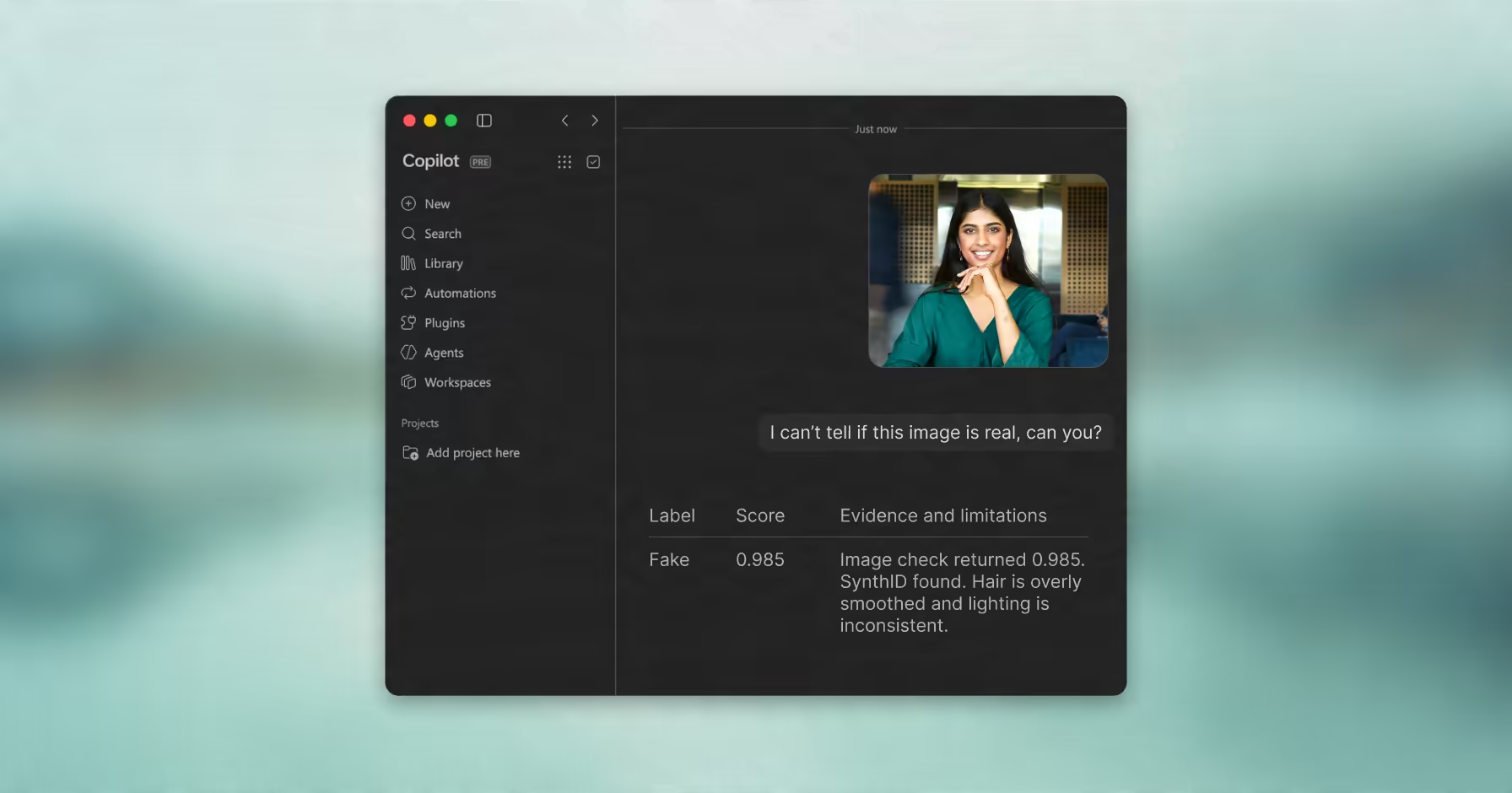
Once the plugin is installed, Copilot calls Resemble automatically whenever you ask it whether a file is real, so you don't need to navigate to a separate app or UI. Simply upload a file, paste text or share a link, then ask your question in plain language, and Copilot returns Resemble's result in the conversation.
The plugin runs inside Copilot Chat, so you can use it from the Microsoft 365 Copilot app, Teams and Outlook wherever your organization has Copilot turned on. When you ask whether something is authentic, Copilot uses the Resemble AI plugin to:
- Detect signs of AI generated or manipulated content, for audio, video, images and text. Upload a file or share a link for audio image and video, andcopy and paste in text.
- Intelligence explains the result in plain language, so you know why a file was flagged and what to do next.
- Signal adds fraud detection, flagging patterns associated with scams such as an urgent request to pay a new bank account.
The plugin uses the same detection models that power Resemble Meetings in Microsoft Teams, used by global teams to secure real-time communications.
How to install Resemble AI for Microsoft Copilot
Setup takes just a couple minutes.
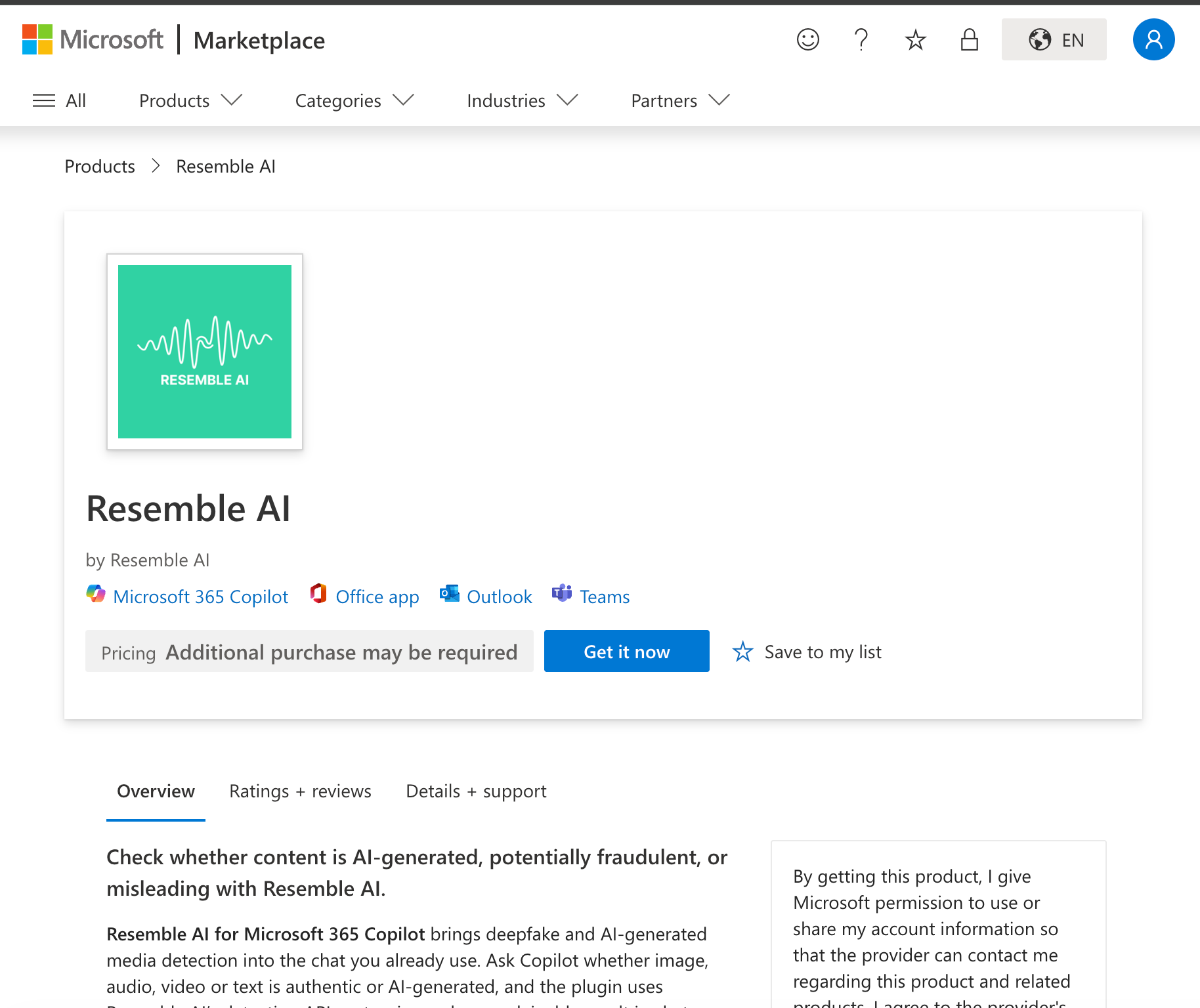
- Get the plugin from Microsoft Marketplace. Search for "Resemble AI" on the Copilot Marketplace, where it's listed as Resemble AI, and select Get it now to add it to Microsoft 365 Copilot.
- Create a Resemble AI account. Sign up at app.resemble.ai to start on the free tier, then add funds to your wallet when you're ready to run more checks.
- Sign in with the provider your team already uses. Copilot asks you to connect your Resemble account the first time the plugin runs, and you can log in with Google, GitHub, Microsoft, your company's SSO or an email and password. You then choose which Resemble team the plugin uses, and access stays with that team even when you switch teams on the website.
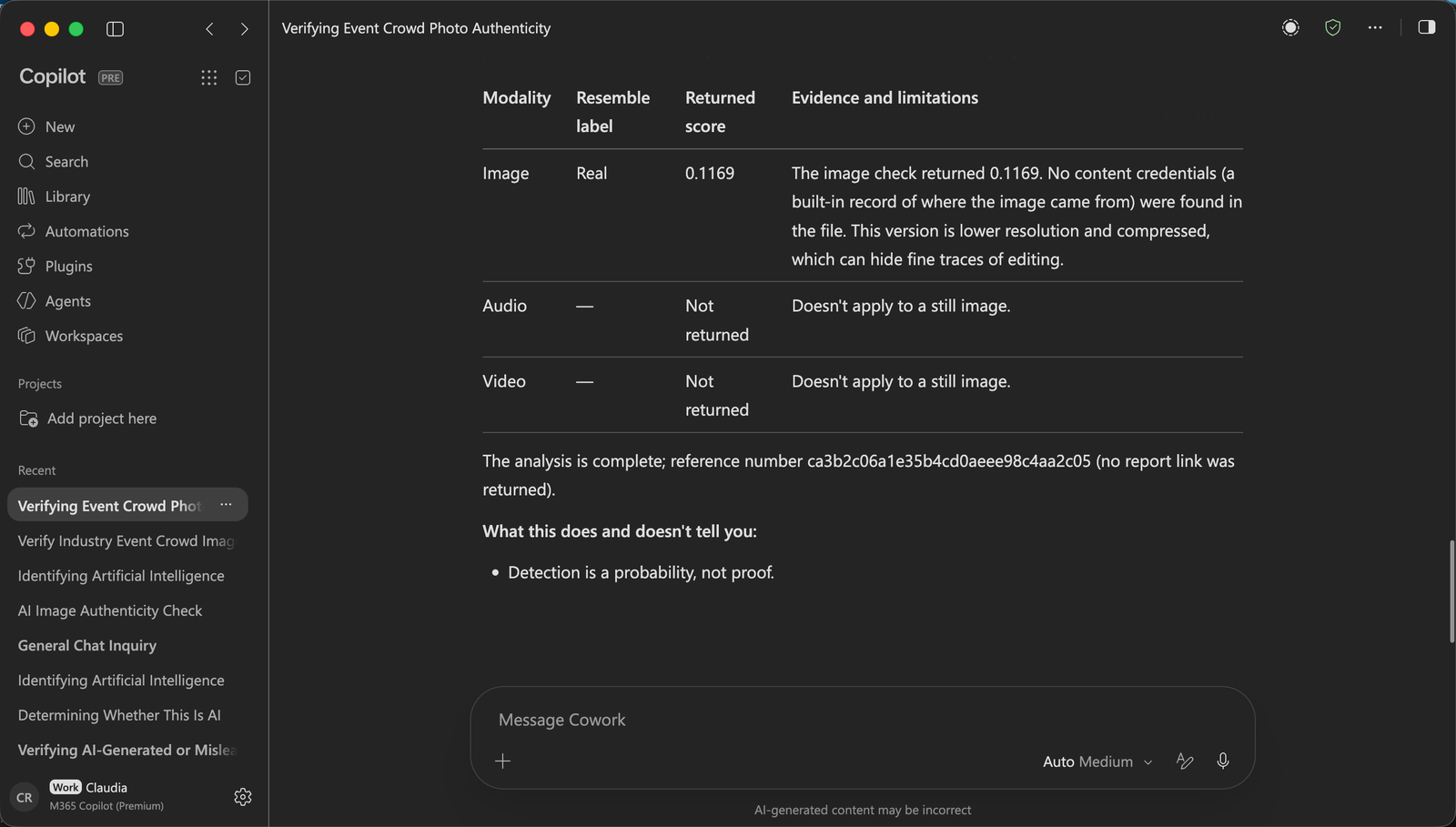
- Ask Copilot whether anything is real. Upload an audio clip, video or image up to 10MB, paste text, or share a link, then ask something like "Is this event photo real?"
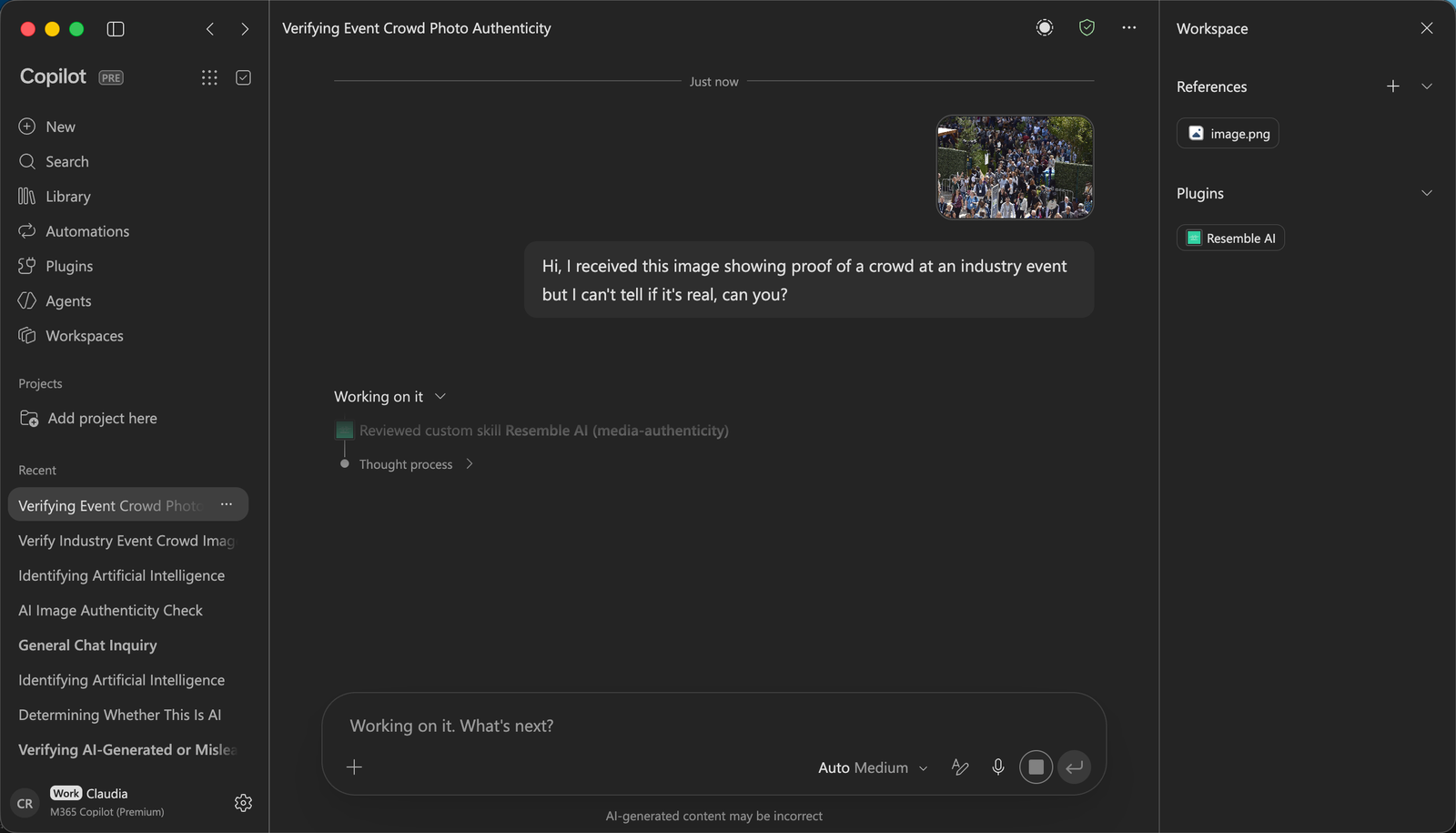
- Approve the request. Copilot shows exactly what it will send to Resemble, and nothing leaves your workspace until you click Approve.
- Copilot calls Resemble automatically. Copilot sends the content to Resemble and returns a label and score for image, audio and video in the chat, with plain-language notes on what the result means and how certain it is.
What can you ask Copilot to check?
Any team that receives files from people it hasn't met in person can use the plugin, and the question stays the same: is this real?
How do I make sure Copilot uses Resemble AI?
Copilot picks which plugin to call based on what you ask, and it reaches for Resemble when your question is about whether something is real, AI-generated, a deepfake or a scam. Share the file, text or link in the same message and ask in plain language. Questions like these are the most likely to call Resemble:
- “Is this real?”
- “Is this image AI-generated?”
- “Is this voice note a deepfake?”
- “Was this video made or edited with AI?”
- “Does this voicemail sound like a cloned voice?”
- “Is this message a scam?”
- “Does anything about this invoice look suspicious or fraudulent?”
If Copilot answers without calling Resemble, name the plugin in your question, such as “Use Resemble AI to check whether this video is real.” Copilot then shows you exactly what it will send and waits for your approval before running the check.
Why use Resemble AI in Copilot?
Copilot is already where many employees go to summarize, draft and research, which makes it a natural place to check a file before anyone acts on it.
- Anyone can run a check. Employees ask in plain language, so they don't need a security background or a separate tool to get an answer.
- Every result comes with a reason. Intelligence explains why a file was flagged and suggests the next step, so nobody has to interpret a raw score.
- It covers the files that never enter a meeting. Resemble Meetings protects live Teams calls, and the Copilot plugin covers the voice notes, images and recordings that arrive by email, chat or upload.
- It comes from a certified Microsoft partner. Microsoft named Resemble AI a certified deepfake detection partner for Teams at Microsoft Ignite 2026.
Get started
Install Resemble AI for Microsoft 365 from the Microsoft Copilot Marketplace, connect your Resemble AI account, and ask Copilot about the next file that lands in your inbox. If your organization also runs sensitive meetings on Teams, see how Resemble Meetings works in Microsoft Teams or book a demo with our team.
Microsoft Copilot deepfake detection FAQ
Can Microsoft Copilot tell if a file is AI-generated?
Copilot can check whether a file is AI-generated once you install the Resemble AI plugin from Microsoft Marketplace. After that, Copilot calls Resemble's detection models automatically whenever you ask whether a file is real.
What file types can Resemble check in Copilot?
The plugin checks uploaded audio, video and image files up to 10MB, along with pasted text and links to live pages, using the same detection models behind Resemble Meetings for Teams.
Do I need a Resemble AI account?
Yes, you need a Resemble AI account, and you can create one at app.resemble.ai and connect it to Copilot with Google, GitHub, Microsoft, SSO or email. New accounts start on the free tier, and you add funds to your wallet to keep running checks after that.
Does Resemble use my files to train its models?
Resemble AI does not use customer data to train its models, and the company is SOC 2 Type II certified.
How is the Copilot plugin different from Resemble Meetings for Teams?
Resemble Meetings checks voices and faces during live Teams calls, while the Copilot plugin checks files you already have, such as voice notes, recordings and images.
Does the plugin work with the consumer version of Copilot?
The plugin works with Microsoft 365 Copilot, so you need a Microsoft 365 Copilot license to use it, and it isn't available in the consumer Copilot app.