



Using AI voices for YouTube videos isn’t just a futuristic idea, it’s happening now. Whether you want to speed up content creation, add a fresh sound, or maintain privacy, AI voice technology offers powerful options.
But can you monetize videos with AI-generated voices without risking demonetization or copyright issues?
YouTube’s rules around AI voices are still evolving, and knowing the ins and outs is key to staying compliant and profitable.
In this blog, we’ll give you clear, practical guidance on using AI voices on YouTube, what’s allowed, what to watch out for, and how to make AI work for your channel without compromise.
Here’s a quick overview:
- AI voices offer an efficient way to create clear and engaging narration, but quality and authenticity matter.
- YouTube permits monetization of videos with AI voices if the content is original, valuable, and policy-compliant.
- Proper licensing and consent are crucial to avoid legal and copyright issues with AI-generated voices.
- Customizing AI voices to fit your brand and audience enhances connection and viewer engagement.
Understanding AI Voices for YouTube
AI voices are computer-generated speech created using advanced algorithms and machine learning. Instead of recording a human narrator, creators can type text that an AI converts into natural-sounding audio. These voices can mimic different tones, accents, and emotions, making them highly versatile for various types of content.
For YouTube creators, AI voices offer a convenient alternative to traditional voiceovers. They help save time, reduce production costs, and overcome challenges like finding voice talent or dealing with vocal strain.
Whether you’re making explainer videos, tutorials, or story narrations, AI voice technology can deliver clear and engaging narration with minimal effort.
However, not all AI voices sound the same.
The quality depends on the technology used and how well the voice is customized. High-end AI tools can produce human-like intonation and emotional nuance, while cheaper or generic options might sound robotic and unappealing to viewers.
YouTube’s Policy on AI Voices and Monetization
Starting July 15, 2025, YouTube updated its monetization guidelines with a stronger focus on “original and authentic” content, including videos featuring AI voices. Here’s what creators need to know:
Key Points of the 2025 Update
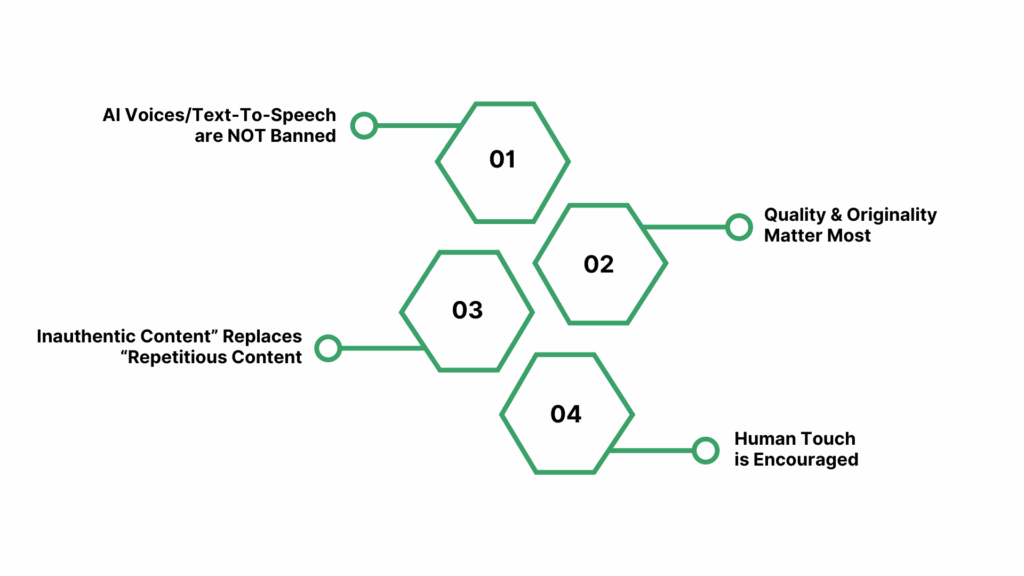
- AI voices/text-to-speech are NOT banned. YouTube allows channels to use AI-generated narration and voiceovers, but simply adding a synthetic voice to repetitive content will not meet monetization standards.
- Quality and originality matter most. Videos must show creative input or transformation, such as unique commentary, educational value, or original storytelling. Bulk-uploaded, mass-produced, or template-based content with AI narration risks being flagged as “inauthentic” and can lose monetization status.
- “Inauthentic content” replaces “repetitious content.” Content that copies formats, slideshows, or stories with minor wording differences and the same narration is at high risk of demonetization, regardless of whether the narration is created with a human or AI voice.
- Human touch is encouraged. Videos featuring AI voices are still eligible for monetization if the creator adds personal insights, original context, or commentary that enhances the viewer experience.
Examples of What Is and Isn’t Monetizable
Monetizable with AI Voices
- Original tutorials or storytelling
- Educational videos with commentary
- Faceless channels with personal input
Not Monetizable
- Slideshow videos with identical structure and narration
- Bulk-generated videos with minimal editing
- Channels with superficial differences between uploads
Other important considerations for creators using AI voices include the following:
- Eligibility remains unchanged: The requirements (1,000+ subscribers, and 4,000 public watch hours in the past year, or 10 million Shorts views in 90 days) are still in place, but meeting these numbers is no longer enough if your content lacks originality or authenticity.
- Transparency and Licensing: Creators should use AI voice tools with commercial licenses and be transparent if the AI voice could cause confusion or impersonation issues.
- AI for Enhancement: YouTube encourages using AI tools, such as dubbing or voiceover, to improve storytelling and accessibility, as long as the core video provides real value.
YouTube channels can still use AI voices for narration and qualify for monetization, but only if videos are original, non-repetitive, and provide meaningful value for viewers. Mass-produced, low-effort, or spammy uploads using synthetic voices will be demonetized under the new policy.
Use trusted platforms like Resemble AI to ensure your audio is original and clear, reducing risks of content takedowns or demonetization.
Can You Use AI Voices for YouTube Videos?
Yes, you can use AI-generated voices for your YouTube videos. Advances in AI voice technology have made it possible to create natural-sounding, expressive narrations that can engage viewers just like human voices.
Many creators use AI voices to save time, reduce production costs, and maintain consistency across their videos. Whether you’re producing tutorials, reviews, podcasts, or storytelling content, AI voices can be an effective alternative to recording your own voice.
However, the key is to use AI voices thoughtfully:
- Choose high-quality AI voice tools that produce clear, authentic, and emotionally engaging audio.
- Customize the voice’s tone, pitch, and pacing to suit your content style and audience preferences.
- Use AI voice as a complement to your visuals and original content, not as a shortcut for low-effort videos.
- Ensure your script is well-written and conversational to keep the narration natural and relatable.
By following these best practices, AI voices can enhance your YouTube content without compromising viewer experience or violating platform rules.
Also read: How AI Voices Enhance YouTube Video Creation
Monetization Possibilities with AI Voices
Using AI voices on YouTube doesn’t automatically block your channel from monetization. Many creators successfully monetize videos featuring AI-generated narration, as long as they comply with YouTube’s content policies and guidelines.
Monetization is primarily about the value and originality of your content, not the voice behind it. To maximize your chances of earning revenue:
- Focus on creating original, engaging content that adds value beyond just AI narration.
- Avoid reusing or repurposing low-effort content that could be flagged for reuse or spam.
- Use AI voices as part of a well-produced video that includes visuals, sound design, and thoughtful editing.
- Be transparent when appropriate, especially if your audience expects human interaction or personality.
Keep in mind that YouTube reviews monetization eligibility based on multiple factors, including content quality, viewer engagement, and adherence to policies. AI voice is just one element—your creative approach and consistency matter most.
Legal and Copyright Considerations
When using AI voices for your YouTube videos, it is essential to understand the legal and copyright implications involved. AI-generated voices can raise unique questions around ownership, licensing, and rights.
First, make sure you have the proper license or permission to use the AI voice software or service. Many platforms provide commercial licenses, but it is important to read their terms carefully to confirm you can monetize content created with their voices.
If you use voice cloning or replicate a real person’s voice, you must have explicit consent from that individual to avoid potential legal issues related to rights of publicity or impersonation.
Also, be cautious about the content you generate with AI voices. Your script must respect copyright laws. Avoid using copyrighted materials without permission, including scripts, music, or sound effects.
In summary, always verify that your AI voice provider grants you the necessary rights for commercial use and ensure your content complies with copyright and privacy laws to protect your channel from potential claims.
Risks and Considerations with AI Voices
While AI voices offer many benefits, it’s important to be aware of potential risks and challenges:
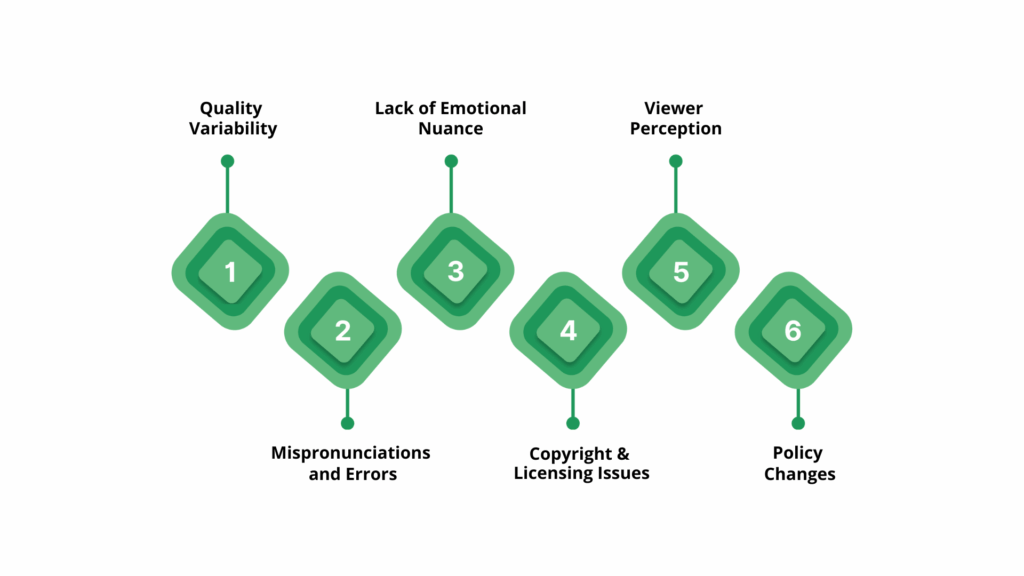
- Quality Variability: Not all AI voices sound natural or engaging. Poor-quality AI voiceovers can reduce viewer retention and harm your channel’s reputation.
- Mispronunciations and Errors: AI-generated voices may mispronounce names, technical terms, or uncommon words, which can confuse or frustrate your audience.
- Lack of Emotional Nuance: Even advanced AI voices may struggle to fully capture human emotion and subtlety, potentially making your content feel less authentic or compelling.
- Copyright and Licensing Issues: Using AI voices without proper commercial licenses can lead to copyright claims or demonetization by YouTube.
- Viewer Perception: Some viewers may prefer human voices and could react negatively if they feel the content lacks a personal touch.
- Policy Changes: YouTube’s guidelines on AI-generated content and monetization could evolve, so staying updated is essential to avoid violations.
By understanding these risks and preparing accordingly, you can use AI voices effectively while minimizing drawbacks.
Also read: How to Create Voiceovers for YouTube Videos
Best Practices for Using AI Voices on YouTube
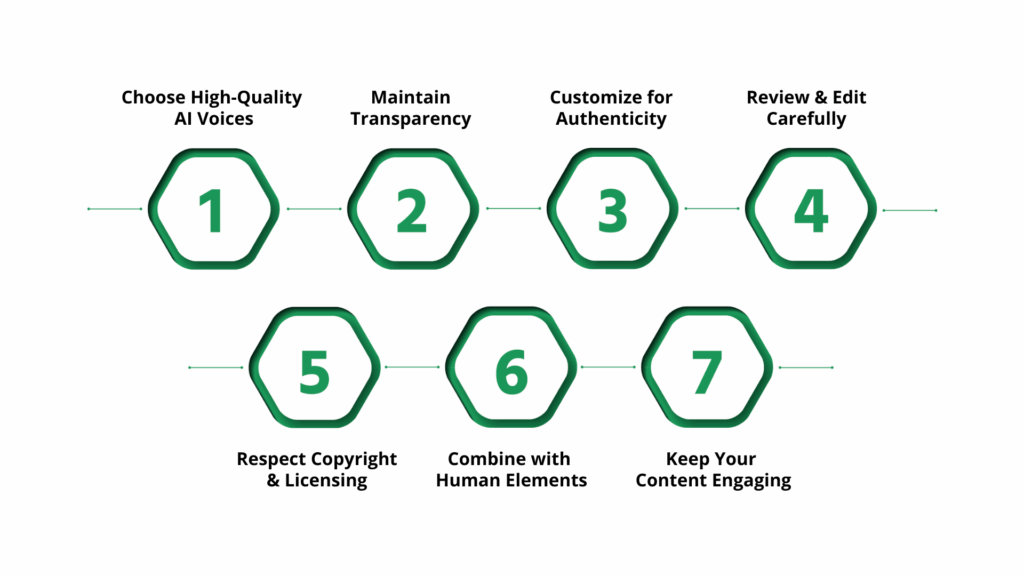
To get the most out of AI voices while staying compliant with YouTube’s policies, follow these best practices:
- Choose High-Quality AI Voices: Use AI voice tools that produce natural, clear, and expressive voices. Avoid robotic or monotone voices that can disengage your audience.
- Maintain Transparency: Consider informing your viewers when you use AI-generated voices, especially if it affects how the content is perceived. Transparency builds trust.
- Customize for Authenticity: Adjust pitch, speed, and tone to make the AI voice sound more personal and aligned with your brand. Many tools allow fine-tuning for a natural feel.
- Review and Edit Carefully: Always listen to the AI-generated audio before publishing. Check for mispronunciations, unnatural pauses, or pacing issues and edit scripts or voice settings accordingly.
- Respect Copyright and Licensing: Ensure that the AI voice tool you use grants commercial rights for monetized content. Avoid using copyrighted scripts or materials without permission.
- Combine with Human Elements: Consider mixing AI voiceovers with your own voice or background sounds to add variety and personality to your videos.
- Keep Your Content Engaging: Use AI voices to enhance storytelling or explanations, but focus on delivering valuable, engaging content that resonates with your audience.
Following these guidelines will help you use AI voices effectively while protecting your YouTube channel and growing your audience.
To get the most from AI voices, pick a platform like Resemble AI that supports customization, emotion control, and multilingual options. Here’s a detailed breakdown.
How Resemble AI Supports YouTube Creators Using AI Voices
Resemble AI offers a comprehensive suite of tools designed to help YouTube creators produce high-quality, monetizable AI voice content with ease and flexibility. Whether you’re looking to generate natural-sounding narration, clone your own voice, or create multilingual videos, Resemble AI has you covered.
Key features that make Resemble AI a powerful choice for YouTubers include:
- Voice Cloning: Record or upload your own voice to create a unique AI voice that matches your brand identity and ensures consistency across your videos.
- Text-to-Speech: Generate realistic, human-like voiceovers directly from text, perfect for narration, tutorials, or story-driven content.
- Speech-to-Speech: Transform existing speech into different voices or styles in real-time, enabling creative dubbing or voice alterations without re-recording.
- Multilingual Voices: Access AI voices in over 60 languages and regional accents to reach global audiences and expand your channel’s reach.
- Voice Design: Use advanced customization to adjust pitch, tone, speed, and emotional expression for a personalized, engaging voiceover.
- Seamless Audio Editing: Simplify your workflow with AI-powered audio editing features that help clean, sync, and polish your voice tracks effortlessly.
By integrating Resemble AI into your YouTube content creation process, you can produce professional-grade audio that captivates viewers, meets platform guidelines, and supports effective monetization strategies.
Conclusion
AI voices are a powerful tool for YouTube creators looking to produce consistent, engaging content. YouTube’s policies support the use of AI voices, but success depends on using natural-sounding, high-quality audio and following legal guidelines. Being mindful of copyright and ethical considerations helps keep your channel monetizable and trustworthy.
By customizing your AI voice and refining your audio, you can create videos that connect with your audience and stand out. Resemble AI offers advanced voice cloning and text-to-speech features that make producing authentic, professional voiceovers easy and scalable. Try Resemble AI to create unique and expressive voiceovers now!
FAQs
Q1. Can I legally use AI voices for my YouTube videos?
A2. Yes, you can legally use AI voices as long as you have the proper rights or licenses for the AI voice tool and any voice models used. Always review the terms of service of the AI provider to ensure compliance.
Q2. Does YouTube allow monetization on videos with AI-generated voices?
A2. YouTube generally allows monetization on videos using AI voices, but your content must comply with YouTube’s monetization policies. Videos should provide original value and not violate community guidelines or copyright rules.
Q3. What are the copyright considerations when using AI voices?
A3. Using AI voices involves copyright considerations, especially if the voice is cloned or mimics someone else’s voice. Make sure you have permission for voice cloning and avoid using AI voices to impersonate others without consent.
Q4. Can I clone my own voice using AI for YouTube videos?
Yes, many AI voice tools let you clone your own voice by recording samples. This allows for consistent, personalized voiceovers while benefiting from AI enhancements.
Q5. How do I ensure my AI voice content complies with YouTube’s policies?
A5. Focus on creating original, high-quality content that adds value. Avoid misleading viewers by clearly disclosing AI-generated elements when necessary. Regularly review YouTube’s terms and community guidelines to stay updated on any changes affecting AI voice usage.

.avif)
