

AI tools are no longer optional add-ons for modern work. According to McKinsey & Company’s State of AI in 2026 survey, 88% of organizations now use AI in at least one business function. This shift shows how deeply AI has moved into everyday workflows across development, content creation, customer support, and security operations.
What has changed most is access. Powerful AI software that once required large budgets is now available for free, making it easier for individuals and teams to test, experiment, and build with AI. From writing and coding to voice generation and media editing, free AI tools are now capable of handling real production-level tasks.
This article highlights the top free AI tools to try in 2026, selected based on practical usefulness, reliability, and relevance across industries. If you’re evaluating the best free AI software to support your work this year, this list focuses on tools that deliver clear value without cost barriers.
Key Takeaways
- Free AI tools in 2026 cover practical use cases across writing, research, images, video, voice, and automation, making it possible to complete real work without upfront software costs.
- The best free AI software depends on the task, not popularity: writing tools handle drafting and editing, research tools focus on summaries and sources, visual tools support design and video, and voice tools enable audio production and localisation.
- Most free AI tools come with clear limits such as usage caps, restricted exports, or reduced controls, which makes them ideal for testing, learning, and light production rather than continuous high-volume use.
- Voice and audio tools like Resemble AI allow users to experiment with voice cloning, text-to-speech, speech-to-speech, multilingual output, and text-based audio editing before scaling to paid plans.
- Choosing two or three free AI tools based on specific outputs leads to better consistency and efficiency than trying to use many tools at once.
AI Tools for Voice, Audio, and Media Production
Voice and audio content play a critical role in podcasts, games, videos, virtual assistants, and interactive experiences. AI tools in this category help create, edit, and localize voice output while reducing manual recording effort. The tools below are consistently referenced in top-ranking blogs because they support real production use cases.
1. Resemble AI: Best for Advanced Voice Creation and Audio Workflows

Resemble AI is frequently highlighted for its broad voice capabilities across voice cloning, text-to-speech, and speech-to-speech generation. Users can create voices by uploading samples or recording audio, with support for both rapid cloning from short samples and professional cloning using longer recordings.
A key differentiator is Chatterbox, Resemble AI’s open-source text-to-speech model. Chatterbox supports zero-shot voice generation, allowing new voices to be created from minimal audio input. It also offers real-time voice synthesis and emotion control, enabling adjustments to tone and expressiveness through simple parameters. This makes it suitable for interactive media, voice assistants, and live applications.
Pros:
- Voice cloning, TTS, and real-time speech-to-speech support
- Chatterbox open-source model with zero-shot voice creation
- Emotion and style control for expressive voice output
- Multilingual support across 120+ languages
- Text-based audio editing for fast revisions
- APIs and on-prem deployment options
- Safety features, including AI watermarking and deepfake detection

Limitations:
- Free usage has time-based limits
- Higher-fidelity cloning requires longer samples
Resemble AI fits developers, media teams, and creators building voice-driven products or content.
If voice production is slowing down your content or product workflows, schedule a demo to see how Resemble AI can help.
2. ElevenLabs: Best for Simple Voice Generation

ElevenLabs is often included in SERP lists for basic voice generation tasks. It allows users to convert text into spoken audio with minimal setup.
Pros:
- Easy to start with minimal configuration
- Suitable for narration and basic voice needs
Limitations:
- Limited editing controls
- Fewer options for complex audio workflows
Together, these tools support a range of voice use cases, from simple narration to structured audio production, making them practical options for creators and businesses working with voice in 2026.
Now that images and video are easier to create, voice and audio have become just as important in shaping how that content is delivered and understood.
AI Tools for Images, Video, and Visual Media
AI-powered visual tools are now widely used for creating social posts, marketing assets, thumbnails, short videos, and presentation visuals. The tools listed below appear consistently across top-ranking blogs because they support real production workflows while offering meaningful free access.
1. Canva Magic Studio: Best for Everyday Design and Visual Assets

Canva Magic Studio is often ranked highly due to its accessibility and range of AI-assisted design features. It allows users to create graphics, presentations, and social media visuals using text prompts, templates, and automated layout suggestions.
Pros:
- Easy to use, even for non-designers
- AI tools for background removal, image generation, and layout edits
- Strong free plan for basic design needs
Limitations:
- Advanced branding controls are limited on the free plan
- AI-generated visuals may need manual refinement
Best suited for marketers, creators, and small teams producing regular visual content.
2. GPT-4o Image Generation: Best for Fast Visual Ideation

GPT-4o’s image generation is frequently mentioned for concept-level visuals. It works well for creating illustrations, mockups, and rough visual references from text prompts.
Pros:
- Quick turnaround for visual ideas
- Useful for early-stage concepts and planning
- Integrated with text-based workflows
Limitations:
- Limited control over fine visual details
- Not designed for high-end artistic output
This tool fits brainstorming, storyboarding, and quick visual experimentation.
3. Midjourney: Best for Stylized and Artistic Images

Midjourney is widely known for producing visually distinct and stylized images. It is commonly used for concept art, creative visuals, and experimental designs.
Pros:
- Strong artistic output
- Handles detailed prompts well
- Popular among digital artists and designers
Limitations:
- Free access is limited and not always available
- Less suitable for simple, utility-based visuals
Best for creators exploring visual styles or artistic concepts.
4. OpusClip: Best for Short-Form Video Content

OpusClip is frequently listed for its ability to convert long videos into short, platform-ready clips. It automatically identifies highlights and adds captions.
Pros:
- Saves time on manual editing
- Works well for social video formats
- Easy setup for repurposing content
Limitations:
- Custom editing options are limited
- Branding controls are basic on free plans
Useful for creators repackaging interviews, podcasts, or webinars.
5. Runway: Best for AI-Assisted Video Editing

Runway appears often in SERP lists for its AI video tools, including background removal and experimental video generation.
Pros:
- Useful AI features for video editing
- Supports creative experimentation
- Web-based and easy to test
Limitations:
- Free usage has export and feature limits
- Learning curve for advanced features
While visual tools focus on creating and editing media, another set of AI tools is designed to help users find information, analyze documents, and work more effectively with knowledge.
Also Read:Introducing Rapid Voice Cloning by Resemble AI
AI Tools for Research, Search, and Knowledge Work
Research and knowledge-heavy tasks demand accuracy, speed, and clarity. AI tools in this category focus on finding information, summarizing large volumes of content, and helping users work more efficiently with documents and data. The tools below are commonly featured in top-ranking blogs because they support real research workflows rather than surface-level search.
1. Perplexity: Best for Research With Sources

Perplexity is widely used as an AI-powered search assistant that combines direct answers with cited sources. It performs well when users need quick explanations supported by links to original references.
Pros:
- Provides source-backed answers
- Useful for early-stage research and fact-checking
- Simple interface with fast responses
Limitations:
- Limited depth for highly technical topics
- The free version has usage caps
Best suited for researchers, writers, and analysts who need fast, verifiable information.
2. NotebookLM: Best for Working With Your Own Documents

NotebookLM focuses on analysing user-provided material rather than searching the open web. It allows users to upload documents and ask questions directly about that content.
Pros:
- Strong at summarizing long documents
- Helps extract insights from notes, PDFs, and reports
- Keeps analysis grounded in uploaded sources
Limitations:
- Not designed for open web research
- Works best with well-structured input
This tool fits knowledge workers managing internal documents or research notes.
3. Google AI Mode / Gemini: Best for Contextual Queries

Google’s AI Mode and Gemini tools are commonly included for their ability to answer broad questions while pulling context from Google’s ecosystem.
Pros:
- Useful for general queries and comparisons
- Integrates well with Google services
- Familiar interface for most users
Limitations:
- Answers may require verification
- Less control over output structure
While research tools focus on finding and understanding information, the next set of AI tools helps turn insights into action by supporting execution and day-to-day workflows.
Also Read: Understanding AI Voice Cloning
AI Tools for Productivity, Automation, and Workflows
AI tools in this category focus on reducing manual work, organizing information, and improving day-to-day execution. Rather than creating content, these tools support how work gets done across meetings, documentation, and system workflows. The tools below appear frequently in top SERP results because they address common productivity bottlenecks.
1. Notion Q&A: Best for Knowledge Management and Internal Search
Notion Q&A helps users find answers across notes, documents, and internal pages without manually searching through folders. It works well for teams and individuals managing large volumes of written information.
Pros:
- Pulls answers directly from existing Notion content
- Useful for onboarding, documentation, and internal queries
- Keeps information grounded in approved sources
Limitations:
- Requires well-organized Notion workspaces
- Limited value if documentation is incomplete
This tool suits knowledge-heavy workflows where clarity and retrieval speed matter.
2. n8n: Best for Workflow Automation
n8n is commonly included in productivity tool lists for its ability to automate tasks across apps without relying on rigid templates. It allows users to build workflows connecting tools like CRMs, databases, and messaging platforms.
Pros:
- Supports custom, flexible automation flows
- Open-source option with strong community support
- Works well for technical and semi-technical users
Limitations:
- Initial setup requires time
- Not ideal for users unfamiliar with logic-based workflows
n8n fits teams looking to reduce repetitive operational work.
3. Fathom: Best for Meeting Notes and Action Tracking
Fathom focuses on capturing and summarizing meetings automatically. It records calls, highlights key moments, and generates structured summaries.
Pros:
- Saves time on manual note-taking
- Clear summaries with action items
- Easy to review past discussions
Limitations:
- Best suited for video-based meetings
- Limited customisation in free plans
Together, these tools support planning, execution, and automation across modern work environments.
While productivity and automation tools help organize and execute work efficiently, choosing the right AI tools depends on how well they align with your specific tasks and output needs.
How to Find the Right Free AI Tools for Your Work
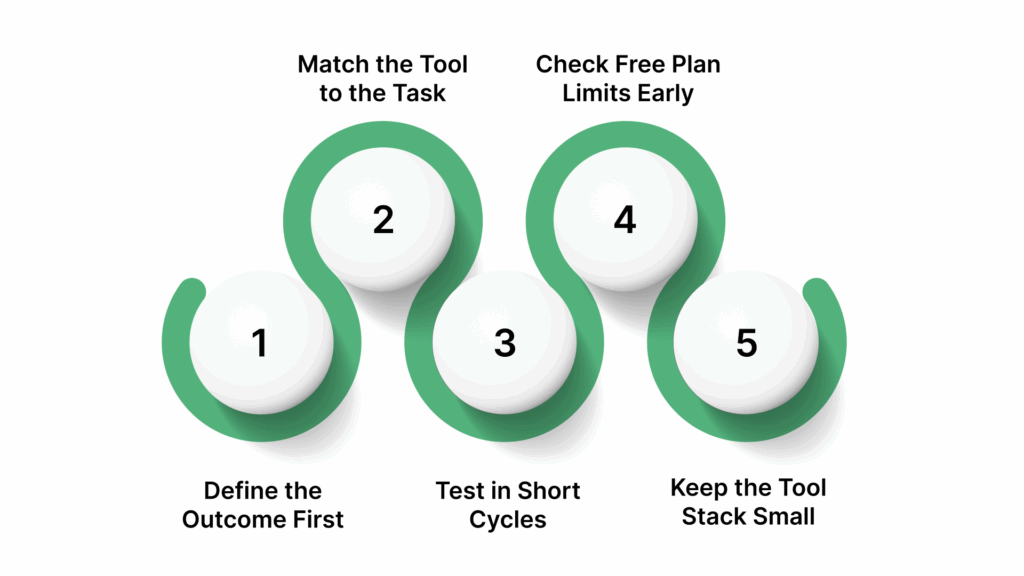
With so many free AI tools available, the real challenge is choosing options that genuinely fit how you work. A structured approach helps reduce wasted time and keeps experimentation focused.
- Define the Outcome First: Start by identifying what you need to produce. Writing, research, voice production, and automation all require different capabilities, and no single tool performs well across every task.
- Match the Tool to the Task: Writing tools focus on drafting and editing, research tools prioritize summaries and sources, voice tools handle spoken output, and automation tools reduce repetitive work. Choosing based on task leads to better results than following popularity.
- Test in Short Cycles: Use free plans for a specific task over a few days. This helps assess output quality, speed, and how easily the tool fits into your existing workflow.
- Check Free Plan Limits Early: Usage caps, export restrictions, and reduced controls often appear once regular use begins. These limits help determine whether a tool can support ongoing work.
- Keep the Tool Stack Small: Relying on two or three dependable tools usually delivers better consistency than switching between many options.
This approach ensures free AI tools support real work without adding unnecessary complexity or friction.

Conclusion
Free AI tools have reached a point where they can support real work across writing, research, design, video, voice, and automation. The key is not using as many tools as possible, but choosing a small set that aligns with the type of output you create most often. When selected carefully, free AI software can help reduce manual effort, improve consistency, and speed up everyday tasks.
This list of the top free AI tools to try in 2026 is designed to help you compare options by category and use case, making it easier to test what fits your workflow. Start with one or two tools, evaluate the results, and build from there based on actual needs rather than trends.
If voice or audio plays a role in your work, whether for content, applications, or media, tools like Resemble AI provide a practical way to experiment with voice cloning, text-to-speech, and audio editing using free access.
Book a demo to see how voice workflows can fit into your projects.
FAQs
1. Which free AI tools are actually worth using in 2026?
Free AI tools are worth using when they help complete real tasks such as writing, research, design, or audio work. Tools with clear, free access and usable output tend to provide the most value.
2. Are free AI tools good enough for daily work or side projects?
Yes, many free AI tools work well for daily tasks and side projects. They are especially useful for drafting, testing ideas, and light production before committing to paid plans.
3. What are the biggest limitations of free AI software?
Most free AI tools have usage caps, limited exports, or reduced controls. These limits usually appear once the tool is used regularly rather than occasionally.
4. Can free AI tools replace paid software completely?
Free tools can cover many needs, but they may not replace paid software for long-term or high-volume work. They are best used for experimentation and early-stage workflows.
5. Is it safe to upload files or text into free AI tools?
Safety depends on the platform. Some tools store user data, while others offer clearer privacy controls. Checking each tool’s data policy is important before uploading sensitive information.